
Betika App Download: Betika Lite APK for Android and iOS
Download and install the Betika mobile app on your iOS or Android gadget using the apk file. Availability of the mobile version of Betika Lite and platforms.
Need to install the Betika app in Kenya or restore access? Choose Android, iPhone or the official mobile website below. If installation fails, use the diagnostic before deleting an existing app. For adults 18+ only; this is real-money gambling, not a way to earn income.
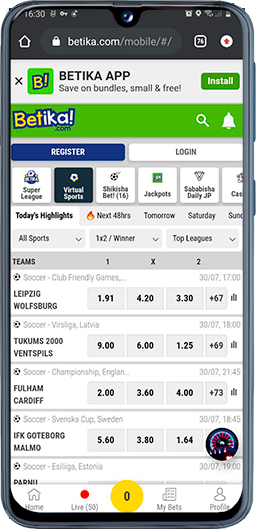
Which official Betika route should you use in Kenya?
Start a Betika app download from the official download page or the Kenyan operator website. Choose the route for your device and stop if its source or requirements cannot be established. The table separates installation from browser access and shows when to switch to official help.
| Your situation in Kenya | Route to check | Check before continuing | Stop or switch when… |
|---|---|---|---|
| Android; you want to install | Start at the official Betika download page linked above | Confirm the file comes through the operator’s route; read device requirements and installation prompts | The source is unexpected, compatibility is unclear or a warning asks you to bypass security. Use official help rather than another APK source. |
| iPhone; you want a native app | Follow an App Store destination only if linked by the operator | Inspect publisher, required iOS and availability for your store region | No valid listing opens. Use the official Kenyan website where accessible; an APK cannot install on iPhone. |
| You need access without installing | Open the official Kenyan website linked above | Check the address and whether your existing account can sign in | Access is restricted or the site fails too. Do not bypass eligibility controls; ask official support. |
| You are looking for slots or casino games | First establish official app or browser access | Check the current casino menu and individual game rules | A game is missing. Do not assume a different APK will unlock it or that every route has identical games. |
Version, file size, minimum OS and a current Kenyan iPhone listing are not verified here. Read the official route or store requirements before installing. This guide does not report device-tested installation results or measured data savings.
Downloading, connecting and gambling involve different possible costs. Check these categories separately rather than interpreting access to a download button as a promise that everything afterwards is free.
- Mobile data: Your network connection may incur charges while downloading, updating or browsing.
- Store charges: Read any charge displayed by the store before approving installation.
- Account payments: Review the current payment fees and conditions inside the authenticated account.
- Game stakes: Money committed to a wager is gambling expenditure, separate from software or connection costs.
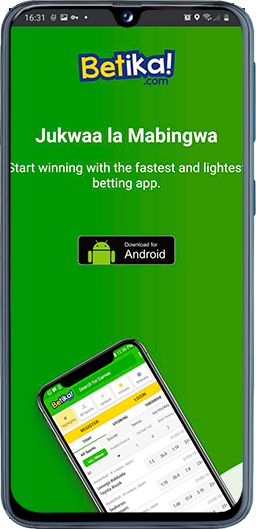
Install and update on Android
An APK is an Android application package: the file used to install software. When installing from a website rather than a store, the browser or file manager may require temporary permission to install applications.
Before Android installation: check the source and recovery access
Use a supported operating system and leave enough free storage for both the download and installation. Before changing an existing installation, confirm that you retain access to the registered phone number and the official recovery process.
Follow this sequence only when the official site offers an Android package. Menu names vary between device manufacturers and operating-system versions.
- Open the official page: Select the Android download option and wait for the file to finish downloading.
- Inspect the source: Confirm that you reached the file through the operator’s own download route, not an unexpected redirect or messaging attachment.
- Review installation access: If prompted, permit installation only for the browser or file manager handling this file. Do not grant unrelated applications the same access.
- Install and open: Read the prompts, complete installation and check that the application launches normally before entering account details.
- Restore the restriction: Turn off the install-from-this-source permission afterwards if you enabled it temporarily.
Do not disable device-wide security protections to force a blocked installation. An unexpected warning, unexplained permission request or unrecognised publisher is a reason to stop and ask official support for guidance.
Update through the route you installed from
A store-managed application may update through store settings; a directly downloaded package may require an in-app prompt or another official download. Do not assume every update installs automatically. Check the mechanism for your installation and return to the official distribution route rather than a replacement package advertised elsewhere.
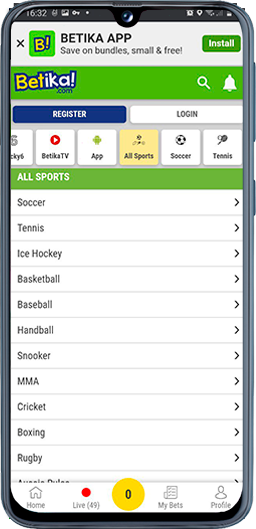
Use an iPhone without confusing it with Android
If the official download page provides an App Store link, follow it and inspect the listing before installing. Check the publisher, supported devices, required iOS version and availability for your store region. A search result or screenshot alone does not confirm a usable installation route.
If no valid listing opens, use the official website in your browser where accessible. Do not install an unknown configuration profile or pay an intermediary to obtain access. Browser access is a separate route, not proof that a native application has been installed.
For an application installed through the store, manage updates there. A website’s Android update instructions should not be applied to an iPhone.
Betika will not install or open: choose the next safe check
Identify the last step that worked before changing the installation. The following diagnostic separates download, device, account and transaction problems so that reinstalling is not the default response to every error.
Installation or access problem? Check the failure before reinstalling.
- File will not finish downloading: check the connection, free storage and whether the official download completed. A working webpage does not prove a package finished downloading.
- Android says “app not installed”: review compatibility and whether an existing installation may conflict. Do not uninstall until you can access the registered phone number and complete recovery. If uncertain, ask official support first.
- iPhone received an APK: stop. An Android package cannot install an iPhone app. Return to an operator-linked App Store route if available, or the official Kenyan website.
- The app fails but the official website opens: record the device model, OS, exact error and last successful step. Check the official update route before considering removal. Browser access narrows the problem; it does not prove a particular cause.
- Neither app nor website opens: check the address and connection. If a location or eligibility restriction is shown, do not bypass it with a VPN; consult the current rules and official support.
- The verification code has not arrived: confirm that the registered SIM can receive SMS and follow the displayed resend interval. Do not open a second account as a workaround or share the code with a helper.
- A payment or bet appears delayed: check transaction or bet history before repeating it. An app reinstall does not resolve a pending transaction or account restriction.
Escalate safely: open Help or Contact from the official Kenyan website. Provide device/OS, the exact error, when it happened, the last successful step and whether the website works on the same connection. Do not send passwords or one-time codes; redact private account information from screenshots.
The app fails but the official website opens
Compare both routes on the same connection, and record the outcome rather than assuming an outage or a specific device fault. If the website works but the application does not, that distinction helps support investigate the failing route. It does not establish that deleting the application will fix it or that the account has no restrictions.
The verification code has not arrived
Separate a failed SMS delivery from a failed installation. Confirm that the number entered is correct and that the relevant SIM is available to receive messages; then follow the on-screen resend interval. A fresh download does not restore access to a lost number, so use official recovery instead of repeatedly changing software.
If a payment is also involved, keep a private incident record before contacting authenticated support. These fields help describe the unresolved transaction without publishing personal financial information.
- Time: Record when the attempt occurred.
- Payment channel: Note the method used, without adding account credentials.
- Reference: Store the transaction reference privately for the official support process.
- Visible status: Copy the status shown in transaction or bet history.
- Repeat attempt: Record whether another submission was made.
Do not post transaction records publicly. Share necessary details only through an authenticated official support process; this record is not evidence that a payment succeeded or a promise of a resolution time.
Before you reinstall: protect access to your Kenyan account
Related: Betika login and Betika registration.
For a new account, the operator’s published website guidance describes phone-number registration and SMS verification, rather than a username-only process. Follow the current on-screen instructions, supply accurate details and retain access to the registered number. Additional identity checks may be required.
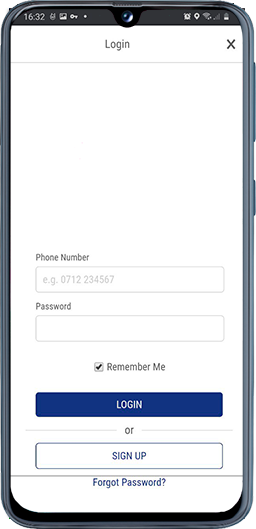
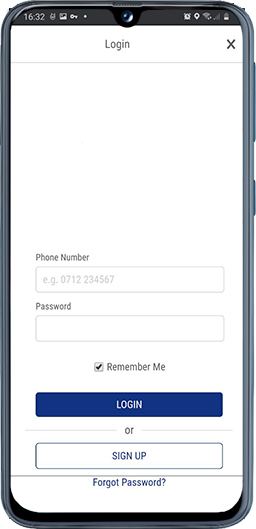
For an existing account, use the sign-in method shown by the service. Check the number format, typing errors and connection before using password recovery. Registration is not a substitute for recovering an existing account, and account rules may restrict duplicates.
Choose the recovery branch that matches your access to the registered number. Neither branch guarantees that recovery will succeed or removes the need for identity checks.
- Registered SIM accessible: Use the official recovery process and confirm that you can receive the required messages before removing an existing installation.
- Registered SIM inaccessible: Stop before uninstalling and consult official account recovery about the checks required for your situation.
- Moving to a new phone: Use the official installation route and sign in to the existing account, subject to security checks. Keep access to the registered number during the move. Before selling or giving away the old phone, sign out and remove personal data using the manufacturer’s reset guidance.
For unresolved problems, use the contact details currently displayed through the official Kenyan website, not an unsolicited social-media offer. Through Help or Contact on the official Kenyan website, send: device model; OS version; exact error; when it occurred; whether the official website works on the same connection; and the last successful step. Do not send passwords or one-time codes. Redact balances and identity documents unless an authenticated official process requires them.
App, browser or Data Saver: which solves your access problem?
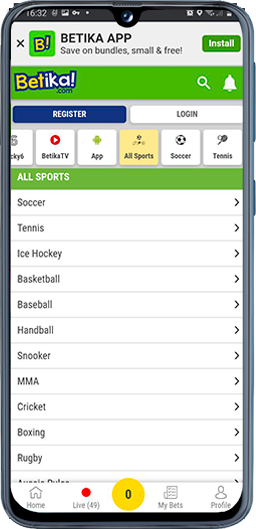
Need access without installing? Try the official Kenyan website where available. Need a lighter interface? Check whether Data Saver is offered in that interface. Need an Android installer? Use only the official download route. These are different choices: a setting is not a separate Lite package, and a display theme does not demonstrate data savings.
A search for Betika lite should therefore lead to a check of the current access options, not an assumption that a separate installation file exists. Data use depends on session length, refreshed markets and media; a light or dark display theme changes appearance, not evidence of network consumption.
Looking for casino games or slots? Once access works, check the current casino menu and each game’s rules. A website menu is not proof that the same game is available in every app version; do not install another package just to unlock a game.
Operator identity, licensing and privacy
This is an independent editorial guide, not an operator support page. The operator’s published legal information has named Shop and Deliver Limited as the legal operator and refers to the Gambling Regulatory Authority of Kenya, with the former Betting Control and Licensing Board distinguished from the newer authority. An operator footer is a claim to check, not independent confirmation of a licence’s current status.
Verify the legal entity and authorisation applicable to the Kenyan service through the national authority. An unrelated overseas regulator is not a substitute for checking the relevant jurisdiction.
- Gambling Regulatory Authority of Kenya: consult the authority’s current licensing information and official notices when checking operator status.
Before registering, read the Terms & Conditions and privacy policy linked from the official Kenyan website. Review identity checks, account restrictions, complaints procedures and how personal information is handled. No licence number or policy destination is presented here as independently verified.
Removing software and requesting deletion of account information are different actions. Keep the following distinction in mind before relying on a device-level change.
- Deletion and account records: Use the operator’s privacy-request process to ask what can be deleted and what must be retained for legal or regulatory reasons. Removing the application does not itself request account closure, cancel an unsettled bet or settle a pending withdrawal.
Responsible gambling and getting help
The service is for adults aged 18 or over. Real-money gambling can cause financial and personal harm; convenient mobile access does not change that risk. Do not treat betting as income or as a way to solve debt.
Set an affordable spending limit and a time boundary before starting. Do not chase losses or gamble with borrowed money. If gambling becomes difficult to control, stop playing and ask the operator about available limits, account closure or self-exclusion. Uninstalling an app alone does not close an account or prevent browser access.
Independent help is available for people affected by their own gambling or someone else’s. The following service provides gambling-harm information and support, rather than account or payment assistance.
- Gambling Therapy: a global service offering practical advice, emotional support and resources for individuals and affected families.
