

Betika Login in Kenya: Account Access and Password Recovery
For Betika login, start at the operator website, select the sign-in option, and use the mobile number and password associated with your account. Check which access or recovery route fits your situation before retrying. This guide is for adults in Kenya; signing in does not require you to deposit or place a bet.
Choose the right account-access route in Kenya
Already registered? Work out which situation applies before trying again. Keep credential entry on the operator’s service, and check that you are using its Kenyan service.
Use this quick access diagnostic to choose between sign-in, recovery and official review rather than repeating an action that cannot resolve the problem.
- You control the registered phone and know the password: use the sign-in flow, following the number example displayed on the form.
- You control the registered phone but forgot the password: use password recovery within the sign-in flow. Follow its current instructions; do not pay anyone to receive or handle a code.
- You no longer control the registered phone: use the operator’s own help route to ask about ownership recovery. Do not open another account as a workaround or ask a new number holder to relay codes.
- A restriction or exclusion notice appears: stop troubleshooting it as a typing error. Ask what the official notice means; do not switch accounts or access routes to defeat it.
- You have never registered: login cannot create an account. Treat registration as a separate decision for eligible adults, not as a recovery method.
An M-Pesa PIN is not an account password. A request to disclose it is a reason to stop, not an extra login step. Restoring access does not require you to place a bet.
Check the destination before entering credentials
The access starting point linked above is the operator’s main website. Confirm that you are using the Kenyan service before entering personal details: a familiar brand name on a different country’s page does not establish that your local credentials belong there. This guide does not collect account details or process password resets.
Check the address bar for spelling changes and unexpected redirects. An HTTPS connection encrypts data in transit, but a padlock alone does not establish who operates a page. Do not enter credentials through unsolicited links, including messages claiming you must sign in immediately to prevent closure or collect a prize.
Choose between browser and app access
A browser lets you inspect the address directly without installing software. If you prefer an app, follow the download route supplied by the operator’s website and inspect the publisher information before installing. A matching icon or app name is not enough to establish provenance.
If only the app stalls, inspect the operator’s current website in a browser without entering credentials first. If it loads, compare the problem with the app; this does not prove the password is correct or that the account is unrestricted. If both fail, check the connection and any operator notice before changing credentials.
Avoid APK files shared by strangers or download pages that ask you to disable device protections. An APK is an Android application installation file; a familiar filename does not establish who supplied it.
Sign in with the registered mobile number
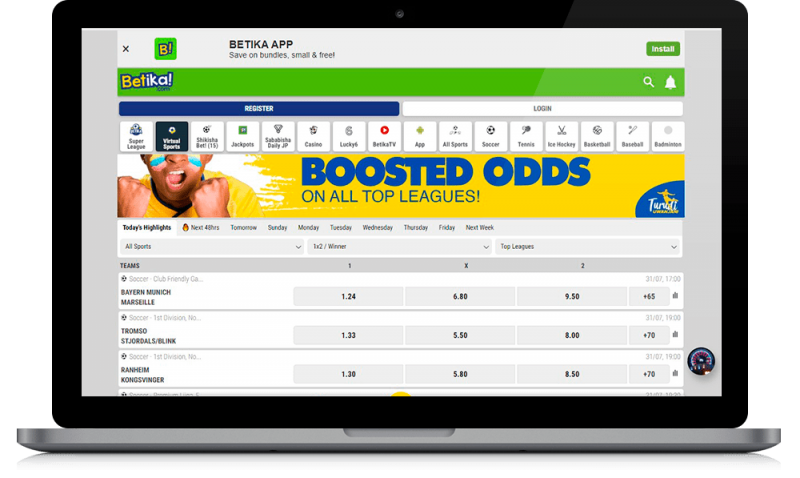
Have your registered mobile number, password, and access to the associated phone ready in case the service requests verification. The sequence below is general guidance, not a tested reproduction of the current interface. Current live form labels, accepted number formats, reset screens and app-specific navigation have not been verified here; follow the interface you actually see.
Complete each stage before moving to the next. The number-entry check matters because identifying the wrong account cannot be fixed by repeatedly entering a password.
- Open sign-in: Locate the account access control on the operator’s Kenyan service.
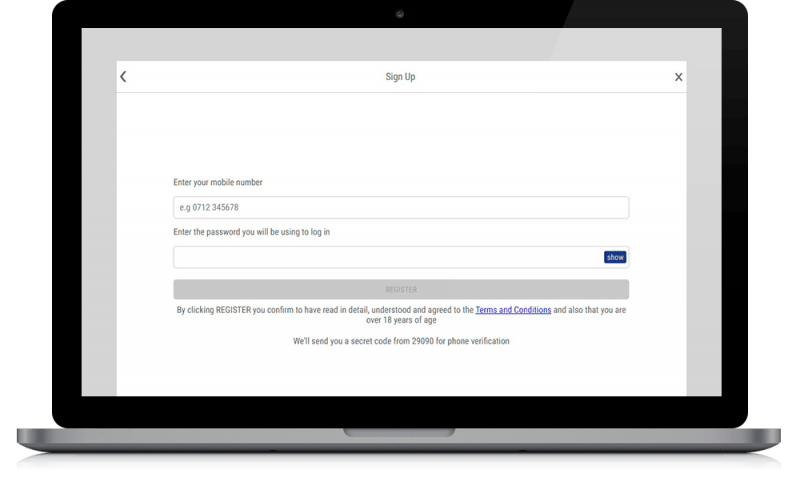
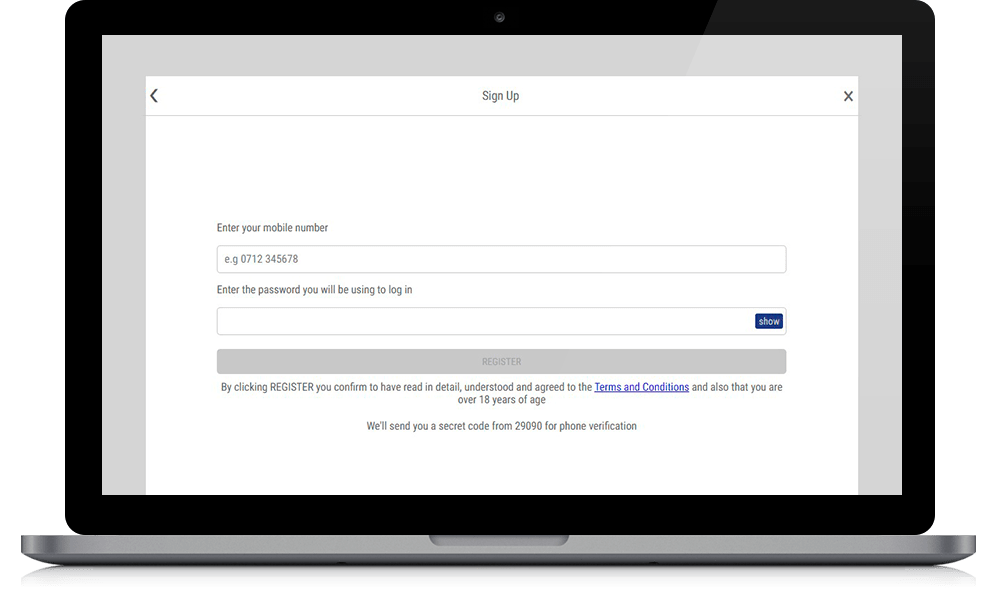
- Enter your number: Use the registered number and the format shown on the Kenyan form. Check whether the field supplies a country prefix or asks you to enter one, and follow its example or validation guidance. National numbering conventions do not prove which format the form accepts. If the guidance is unclear, ask through the operator’s help route rather than guessing. Your current number will not identify an older account registered with a different number; use ownership recovery in that situation.
- Enter your password: Check letter case, accidental spaces, and keyboard settings before submitting.
- Submit once: Allow the response to finish loading instead of tapping repeatedly.
- Complete verification: Follow any additional checks presented within the account flow.
- Inspect the account: Confirm that the profile, balance, and notices belong to you before taking further action.
Separate login from payment and identity checks
Your password authenticates account access; an M-Pesa PIN authorises mobile-money activity. Never disclose a payment PIN to a caller, support contact, or page claiming it is needed to restore access. A deposit cannot fix a forgotten password or prove that you own an old account.
Successful sign-in also does not establish that every account function is available. Identity verification may still be required, and restrictions can affect deposits, withdrawals, or other features. Read account notices before acting. An unfamiliar balance or transaction calls for a records check and support enquiry, not a test wager.
Match the login failure to the next safe action
These are troubleshooting categories, not official Betika error messages. Read the actual wording on your screen before choosing a route.
| What you see | Check first | Stop retrying when | Next safe action |
|---|---|---|---|
| Number or password rejected | Registered number, the form’s number example, and typing errors | Correcting an entry error does not resolve access | Use the operator’s password-recovery flow; seek help if it cannot identify the account |
| Recovery message missing | Displayed destination, phone reception and message filtering | The destination is not yours or on-screen guidance does not resolve delivery | Ask through the operator’s own help route; do not ask strangers to obtain a code |
| Browser or app stalls | Connection, whether a session already opened, and any operator notice | The problem persists after one relevant check | Note device, access route and time for support; a spinner does not prove a wrong password |
| You no longer control the registered number | Whether messages would reach a phone you control | Recovery depends on a number you cannot access | Ask about the official ownership-review process |
| Restriction or exclusion notice | Exact notice and any instructions attached | A restriction is stated | Follow the official review or protection process; do not try a different account to bypass it |
Change one relevant thing at a time so you can describe what happened. A loading problem does not establish that the password is wrong, and a rejected password does not establish that the service is down.
Recover access without creating another account
New to Betika? Use the Betika registration guide instead. Still stuck? See Betika customer care.
Already have an account? Recover it before considering registration. Keep passwords, reset links and verification codes private throughout the process.
Use the password-reset option
Find password recovery within the operator’s sign-in flow and follow its current instructions. Confirm that the destination for any recovery message is yours. No delivery time, code expiry, or guaranteed message method has been verified here.
If several messages arrive, follow the service’s guidance about which remains valid rather than trying every code. Choose a unique replacement password. Never share reset links or verification codes with someone offering to complete recovery on your behalf.
When the registered Kenyan number is no longer yours
Use the help area reached from the operator’s own website or account interface to explain that you no longer control the registered number. Ask which ownership-review process applies. If the number has been reassigned, do not ask its new holder to send you codes. Recovery depends on the operator’s review, not on persuading another person to forward messages.
Use this support summary to describe the problem without exposing account secrets. Send it only through the operator’s own help route, and omit passwords, codes, PINs and ID images from the initial summary.
Support summary: I can/cannot access my registered phone. The problem occurs in [browser/app] on [device]. At [approximate time, with time zone], I saw [error wording, without personal details]. I have already tried [one relevant check]. Please explain the official recovery or review process.
Support may require evidence of ownership through its designated process. Do not submit another person’s documents or send identification to an unverified messenger contact. Redact passwords, codes, payment secrets, and unnecessary personal details from screenshots. Current support telephone numbers and email addresses have not been independently confirmed here.
When a restriction is not a password problem
Retain the exact notice and ask the operator what review or clarification is available. Do not bypass restrictions by borrowing an account, disguising your location or registering again. If the notice concerns self-exclusion or another safer-gambling protection, respect it; restoring access is not more important than that protection.
Protect future sessions
After recovery, use these precautions to avoid exposing the restored session on your device or someone else’s.
- Password: Use a unique password and avoid saving it on shared devices.
- Session: Sign out when finished; closing a tab may leave access active.
- Device control: Never grant remote control to someone offering recovery.
If account activity is unfamiliar, stop using the account and contact the operator through its own website. Secure any reused credentials on other services as well. Keep support references so later enquiries can be linked to the original report.
Trust and Kenyan licensing checks
Check the current Kenyan authority’s operator register, matching the legal entity, domain, licence category and covered period. A logo is not proof of an active licence, and an overseas authorisation alone does not establish permission to serve the Kenyan market.
The following reference is a checking route, not confirmation that an operator licence has been verified in this guide.
- Gambling Regulatory Authority of Kenya: consult current operator records and authority information; older references to the Betting Control and Licensing Board should not replace a current check.
If the register is inaccessible or the details do not match, resolve that uncertainty before supplying sensitive information or funds. Successful login is not independent evidence of regulatory compliance.
Responsible gambling and support
Gambling is for adults aged 18 or over and involves financial risk. Decide what time and money you can afford to lose before any session, and use limits or self-exclusion where available. Account access creates no obligation to play, and recovery must not be used to defeat a safer-gambling restriction.
Do not chase losses or gamble money needed for essentials. Restored access, a previous win, or time away does not improve the likelihood of the next random outcome. If recovery feels urgent because you want to resume gambling, step away rather than treating access as the priority.
Independent support can help when gambling affects wellbeing, relationships, or finances. These organisations are not account-recovery agents; check which services are suitable and available for your location.
- Gambling Therapy: explore gambling-harm information, support options, and recovery resources.
- Gamblers Anonymous: look for peer-support information and suitable meeting options.
You can seek help without first restoring access to a gambling account.
